NestJS 회원가입/로그인 구현하기(feat. MySQL)
0. DB 연동
https://docs.nestjs.com/techniques/configuration
Documentation | NestJS - A progressive Node.js framework
Nest is a framework for building efficient, scalable Node.js server-side applications. It uses progressive JavaScript, is built with TypeScript and combines elements of OOP (Object Oriented Programming), FP (Functional Programming), and FRP (Functional Rea
docs.nestjs.com
@Module({
  imports: [
    ConfigModule.forRoot({
      isGlobal: true,
      envFilePath: '.env',
    }),
    TypeOrmModule.forRootAsync({
      useFactory: () => ({
        type: 'mysql',
        host: process.env.DB_HOST,
        port: Number(process.env.DB_PORT ?? 3306),
        username: process.env.DB_USERNAME,
        password: process.env.DB_PASSWORD,
        database: process.env.DB_NAME,
        entities: [__dirname + '/**/*.entity.{js,ts}'],
        synchronize: process.env.DB_SYNCHRONIZE === 'true',
        logging: true,
        charset: 'utf8mb4',
        timezone: 'Z',
      }),
    }),
  ],
})
export class AppModule {}
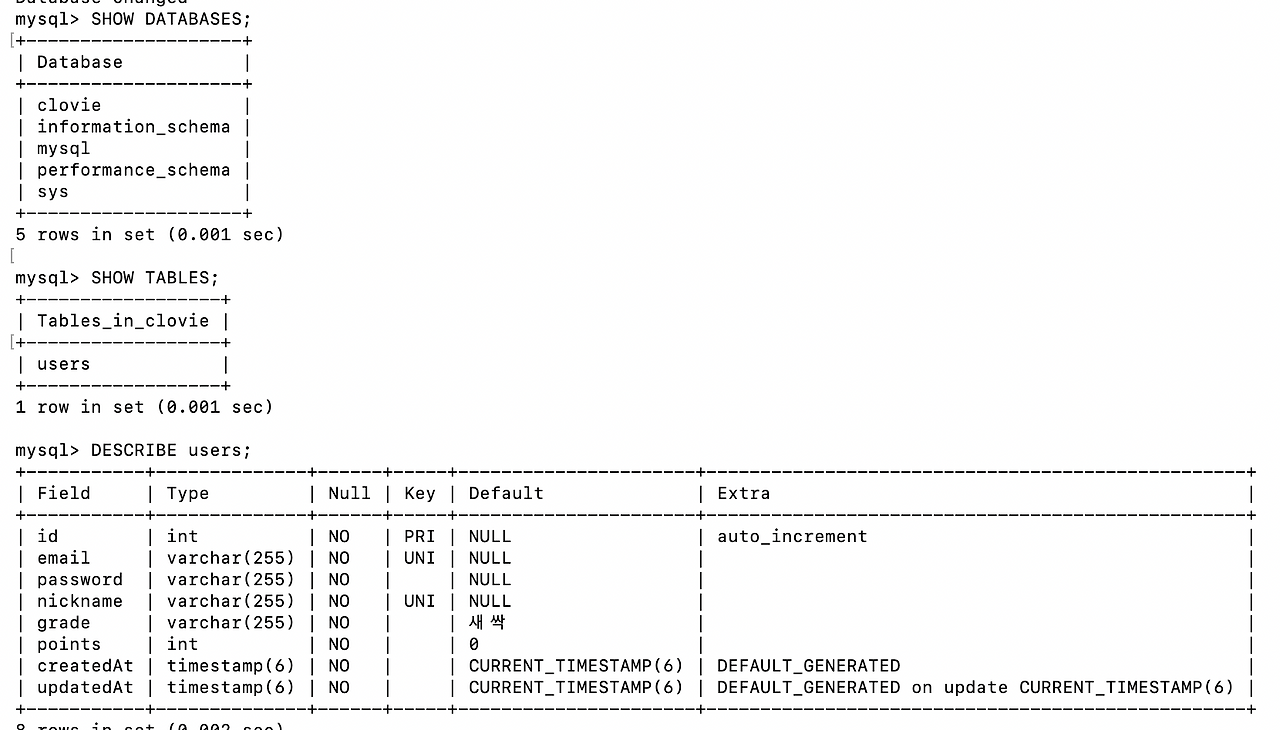
1. 컬럼 정의
| 컬럼명 | 타입 | 옵션 |
| id | uuid | PK |
| varchar | unique, not null | |
| password | varchar | not null |
| nickname | varchar | unique, not null |
| grade | varchar | 기본값: 새싹 (새싹, 한잎, 두잎, 세잎, 네잎, 황금네잎, 관리자) |
| points | int | 기본값: 0 |
| createdAt | datetime | 기본값: 현재시간 |
| updatedAt | datetime | 기본값: 현재시간, 수정시 자동 업데이트 |
2. 엔티티 정의
@Entity('users')
export class User {
  @PrimaryGeneratedColumn('uuid')
  id: number;

  @Column({ unique: true })
  email: string;

  @Column()
  password: string;

  @Column({ unique: true })
  nickname: string;

  @Column({ default: '새싹' })
  grade: string;

  @Column({ default: 0 })
  points: number;

  @CreateDateColumn({ type: 'timestamp' })
  createdAt: Date;

  @UpdateDateColumn({ type: 'timestamp' })
  updatedAt: Date;
}
“SELECT/INSERT/UPDATE/DELETE를 어떻게 할까?” → 레포지토리
“이 상황에서 비밀번호를 어떻게 검증하고 어떤 응답/토큰을 줄까?” → 서비스(service)
📍회원가입
1. DTO 생성
- 프론트쪽 유효성 검사와 동일하게 맞추기
export class SignupUserDto {
  @IsEmail()
  @MaxLength(255)
  email: string;

  @IsNotEmpty()
  @MaxLength(20)
  @Matches(/^[가-힣a-zA-Z0-9_]{2,20}$/)
  nickname: string;

  @IsNotEmpty({ message: '비밀번호는 필수입니다.' })
  @Matches(/^(?=.*[a-z])(?=.*\d)(?=.*[!@#$%^&*(),.?":{}|<>])\S{8,64}$/, {
    message:
      '비밀번호는 8~64자이며, 소문자·숫자·특수문자를 포함하고 공백이 없어야 합니다.',
  })
  password: string;

  // 기본값(새싹)
  @IsEnum(Grade)
  @IsOptional()
  grade?: Grade;
}
export class LoginUserDto {
@IsEmail()
email: string;
@IsString()
password: string;
}
2. global ValidationPipe 설정하기
pnpm add bcrypt -D @types/bcrypt
(1) DTO 유효성 검증이 전체 라우트에 적용되도록 설정하자
// main.ts
async function bootstrap() {
const app = await NestFactory.create(AppModule);
app.useGlobalPipes(
new ValidationPipe({
whitelist: true, // DTO에 없는 필드 제거
forbidNonWhitelisted: true, // 허용되지 않은 필드가 오면 에러
transform: true, // 타입 변환
}),
);
await app.listen(process.env.PORT ?? 3001);
}
bootstrap();
(2) 리포지토리 주입을 위해 TypeOrmModule.forFeature로 User 등록하기
// users.module.ts
@Module({
imports: [TypeOrmModule.forFeature([User])],
providers: [UsersService],
controllers: [UsersController],
exports: [UsersService],
})
export class UsersModule {}
최상단 모듈인 app.module.ts에도 users.module도 꼭 import 해주자!!!
@Module({
imports: [
ConfigModule.forRoot({
isGlobal: true,
envFilePath: '.env',
}),
TypeOrmModule.forRootAsync({
useFactory: () => ({
type: 'mysql',
host: process.env.DB_HOST,
port: Number(process.env.DB_PORT ?? 3306),
username: process.env.DB_USERNAME,
password: process.env.DB_PASSWORD,
database: process.env.DB_NAME,
entities: [__dirname + '/**/*.entity.{js,ts}'],
synchronize: process.env.DB_SYNCHRONIZE === 'true',
logging: true,
charset: 'utf8mb4',
timezone: 'Z',
}),
}),
UsersModule,
],
})
export class AppModule {}
.env 설정..
NODE_ENV=development
# MySQL
DB_HOST=127.0.0.1
DB_PORT=3306
DB_USERNAME=root
DB_PASSWORD=0000
DB_NAME=clovie
DB_SYNCHRONIZE=true
# JWT
JWT_SECRET=hiClovie!@#
JWT_EXPIRES_IN=1d
auth와 users 관심사 분리를 해놔서 auth.module.ts에서도 UsersService를 import 해줘야한다.
@Module({
imports: [
UsersModule, // UsersService를 사용하기 위해 import
JwtModule.registerAsync({
global: true,
imports: [ConfigModule],
inject: [ConfigService],
useFactory: async (configService: ConfigService) => ({
secret: configService.get('JWT_SECRET'),
signOptions: { expiresIn: configService.get('JWT_EXPIRES_IN') || '1d' },
}),
}),
],
controllers: [AuthController],
providers: [AuthService],
exports: [AuthService],
})
export class AuthModule {}
(3) Service 구현: 중복 체크 → bcrypt 해싱 → 안전한 반환
- 이메일/닉네임 중복 방지
- 비밀번호 해싱(bcrypt)
- 비밀번호는 응답에서 제거
@Injectable()
export class AuthService {
constructor(
private readonly usersService: UsersService,
private readonly jwtService: JwtService,
) {}
// ! 회원가입
async signup(dto: SignupUserDto) {
const { email, nickname, password } = dto;
// 사전 중복 체크
const existed = await this.usersService.findByEmailOrNickname(
email,
nickname,
);
if (existed) {
const field = existed.email === email ? '이메일' : '닉네임';
throw new ConflictException(`${field}이(가) 이미 사용 중입니다.`);
}
// 비밀번호 해싱
const salt = await bcrypt.genSalt();
const hashedPassword = await bcrypt.hash(password, salt);
const user = await this.usersService.createUser({
email,
nickname,
password: hashedPassword,
grade: dto.grade || Grade.Seedling,
});
const { password: _, ...safeUser } = user;
return safeUser;
}
// ! 로그인
async login(dto: LoginUserDto) {
const { email, password } = dto;
const user = await this.usersService.findUserForAuth(email);
if (!user) {
throw new UnauthorizedException('존재하지 않는 이메일입니다.');
}
const isValid = await bcrypt.compare(password, user.password);
if (!isValid) {
throw new UnauthorizedException('비밀번호가 일치하지 않습니다.');
}
const payload = {
id: user.id,
email: user.email,
nickname: user.nickname,
grade: user.grade,
};
const accessToken = this.jwtService.sign(payload);
const { password: _, ...safeUser } = user;
return { user: safeUser, accessToken };
}
}
// users.service.ts 에서 관련 유효성 체크를 해준다. (auth, users 관심사 분리)
@Injectable()
export class UsersService {
constructor(
@InjectRepository(User)
private readonly usersRepository: Repository<User>,
) {}
async createUser(user: SignupUserDto) {
const userEntity = this.usersRepository.create(user);
try {
return await this.usersRepository.save(userEntity);
} catch (e) {
const isDup =
e?.code === 'ER_DUP_ENTRY' || e?.errno === 1062 || e?.code === '1062';
if (isDup) {
const msg: string = e?.sqlMessage || e?.message || '';
if (msg.includes('email')) {
throw new ConflictException('이미 사용 중인 이메일입니다.');
}
if (msg.includes('nickname')) {
throw new ConflictException('이미 사용 중인 닉네임입니다.');
}
throw new ConflictException('이미 사용 중인 정보가 있습니다.');
}
throw new InternalServerErrorException(
'사용자 생성 처리 중 오류가 발생했습니다.',
);
}
}
async findByEmailOrNickname(email: string, nickname: string) {
return this.usersRepository.findOne({
where: [{ email }, { nickname }],
});
}
async findUserForAuth(email: string) {
return this.usersRepository.findOne({
where: { email },
select: ['id', 'email', 'nickname', 'password', 'grade'],
});
}
async findById(id: string) {
return this.usersRepository.findOne({
where: { id },
});
}
}
// auth.controller.ts
@Controller('auth')
export class AuthController {
constructor(private readonly authService: AuthService) {}
@Public()
@Post('signup')
async signup(@Body() dto: SignupUserDto) {
const user = await this.authService.signup(dto);
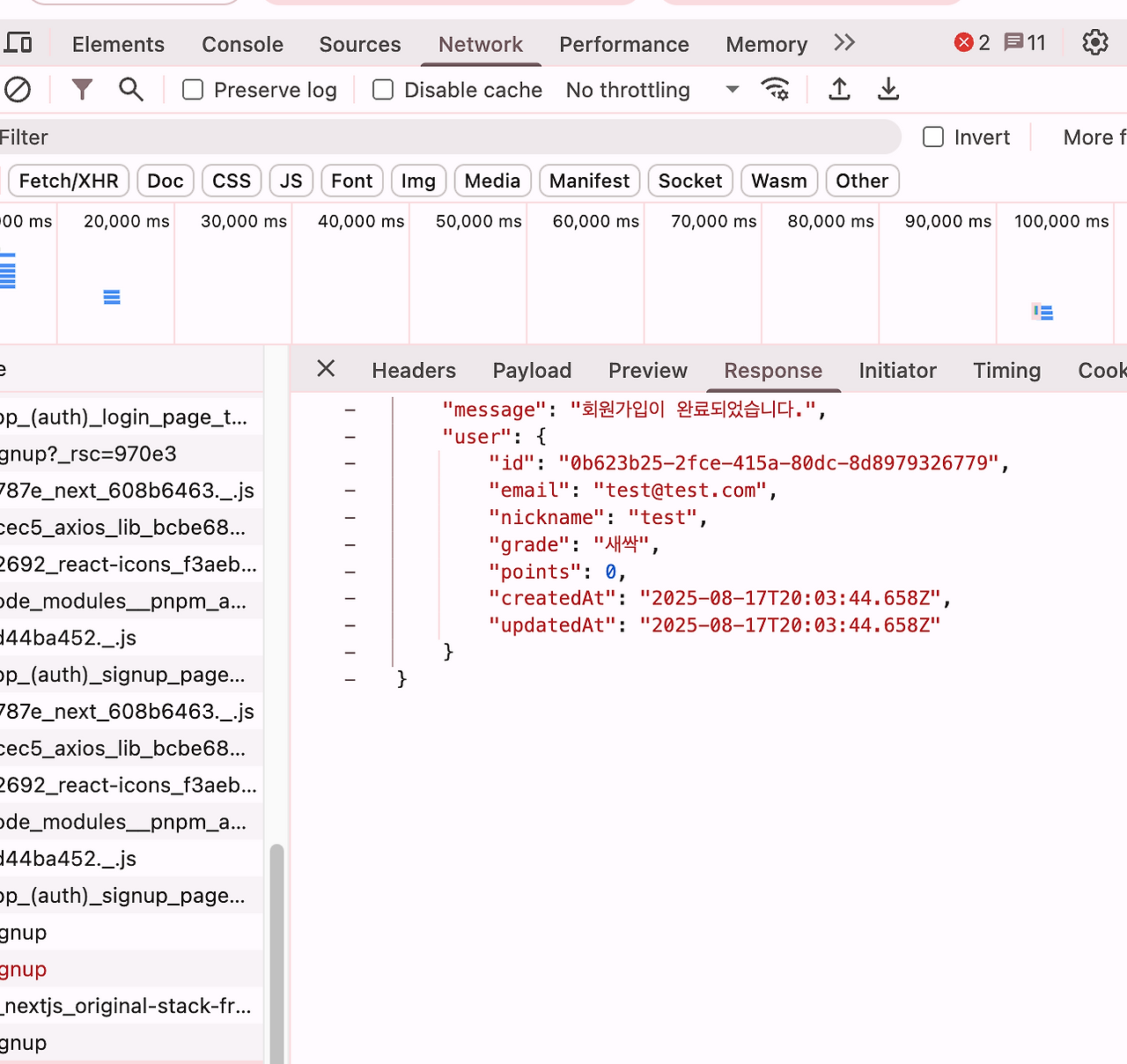
return { message: '회원가입이 완료되었습니다.', user };
}
@Public()
@Post('login')
async login(@Body() dto: LoginUserDto) {
const result = await this.authService.login(dto);
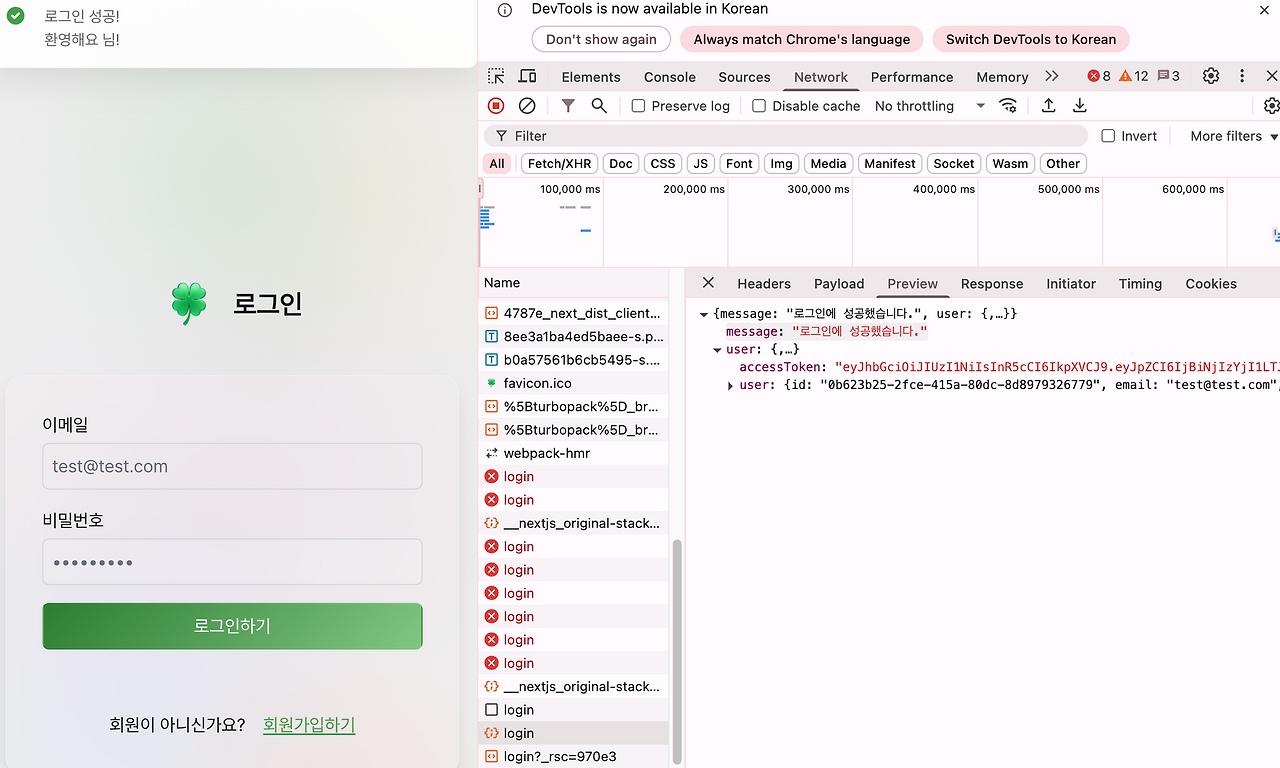
return { message: '로그인에 성공했습니다.', ...result };
}
}
// users.controller.ts
@Controller('users')
@UseGuards(AuthGuard)
export class UsersController {
constructor(private readonly usersService: UsersService) {}
@Get('me')
async getMyInfo(@Req() req: Request) {
// AuthGuard에서 req.user에 저장한 사용자 정보 가져오기
const currentUser = req.user;
const user = await this.usersService.findById(currentUser.id);
if (!user) {
throw new NotFoundException('사용자를 찾을 수 없습니다.');
}
const { email, nickname, points, grade } = user;
return { email, nickname, points, grade };
}
}
(4) main.ts에서 CORS 설정하기
- 프론트엔드에서 쿠키를 사용할 예정이라 credentials: true 옵션을 추가해줘야한다.
credentials: true옵션은 브라우저가 요청에 쿠키, 인증 헤더 등을 포함하도록 허용하는 설정임!- 브라우저에서 기본적으로 cross-origin 요청(CORS)에는 쿠키를 보내지 않음
- 설정하면 서버에서 쿠키를 읽을 수 있음
// CORS 설정
app.enableCors({
origin: ['http://localhost:3000', 'https://clovie-fe.vercel.app/'], // 프론트엔드 주소
credentials: true, // 쿠키, Authorization 헤더 등 허용
});
📍로그인
(1) dto 생성
export class LoginUserDto {
  @IsEmail()
  email: string;

  @IsString()
  password: string;
}
(2) service에서 로그인 로직 구현
const user = await this.usersRepository.findOne({
  where: { email },
  select: ['id', 'email', 'nickname', 'password', 'grade'],
});
- 이메일로 DB에서 유저 조회.
select를 사용해서 필요한 컬럼만 가져옴 (특히 비밀번호는 선택적으로 가져와야 bcrypt 비교 가능)
const inValid = await bcrypt.compare(password, user.password);
if (!inValid) {
  throw new ConflictException('비밀번호가 일치하지 않습니다.');
}bcrypt.compare로 입력한 비밀번호와 DB에 저장된 해시 비밀번호를 비교.
const payload = {
  id: user.id,
  email: user.email,
  nickname: user.nickname,
  grade: user.grade,
};
const accessToken = this.jwtService.sign(payload);- 로그인 성공 시 JWT payload 생성.
jwtService.sign(payload)로 Access Token 발급.
(3) JwtModule 등록
UsersService에서 JwtService를 사용하려면 UsersModule에 JwtModule을 import 해야 한다.
pnpm add @nestjs/config@Module({
imports: [
TypeOrmModule.forFeature([User]),
JwtModule.registerAsync({
imports: [ConfigModule],
inject: [ConfigService],
useFactory: async (configService: ConfigService) => ({
secret: configService.get('JWT_SECRET'),
signOptions: {
expiresIn: configService.get('JWT_EXPIRES_IN') || '1d',
},
}),
}),
],
controllers: [UsersController],
providers: [UsersService],
exports: [UsersService],
})
export class UsersModule {}
ConfigService를 사용해서.env에 저장한 값을 가져오고 있다.ConfigModule은.env파일의 환경변수를 NestJS에서 읽을 수 있게 해주는 모듈- JWT 모듈에서
ConfigService를 쓰려면 먼저 이 모듈을 import 해야 한다.
useFactory: async (configService: ConfigService) => ({ ... })
- JWT 설정값을 동적으로 가져와서 등록하는 부분
secret: JWT 서명용 비밀키 →configService.get('JWT_SECRET')- → 토큰의 무결성을 보장한다. 서버만 이 키를 알고 있어야 함.
signOptions.expiresIn: JWT 만료 시간 →configService.get('JWT_EXPIRES_IN') || '1d'- → 토큰이 유효한 시간 설정 (없으면 기본 1일)
왜 필요?
- 로그인 시 발급한 JWT를 검증하고 만료 시간을 관리하기 위해
JwtService를 DI해서sign()(토큰 발급),verify()(토큰 검증) 등을 사용할 수 있다.- 비동기 등록 방식(
registerAsync) 덕분에 환경변수를 안전하게 읽어서 적용 가능.
auth 와 users의 관심사 분리에 관하여…
쉽게 비유하자면, 웹사이트를 하나의 '건물'이라고 생각해 보자.
🧍 users 모듈: 건물의 '회원 명단 관리실'
users 모듈은 말 그대로 사용자(User)에 대한 모든 정보를 관리하는 곳이다.
- 새로운 회원(사용자) 등록 (Create)
- 등록된 회원의 정보 조회 (예: 마이페이지) (Read)
- 회원의 정보 수정 (예: 비밀번호 변경, 닉네임 변경) (Update)
- 회원 탈퇴 (Delete)
- users.controller.ts: "회원 정보 좀 변경해주세요" 같은 요청을 직접 받는 창구(API 엔드포인트) 역할.
- users.service.ts: 요청받은 내용을 실질적으로 처리하는 비즈니스 로직. (예: "비밀번호를 암호화해서 저장해라")
- users.repository.ts: 서비스의 요청에 따라 데이터베이스에서 실제 회원 데이터를 저장하고 꺼내오는 역할.
- entities/user.entity.ts: '회원'이 어떤 정보(ID, 이메일, 이름 등)를 가져야 하는지 정의한 명세서.
결론: users는 '회원' 그 자체의 데이터(누가, 어떤 정보를 가졌는지)를 다루는 곳이다.
🔐 auth 모듈: 건물의 '출입증 발급처 & 경비실'
auth 모듈은 인증(Authentication)과 인가(Authorization)를 담당한다.
즉, "이 사람이 우리 회원(User)이 맞나?"를 확인하고 "맞다면 무엇을 할 수 있도록 허락해줄까?"를 결정하는 곳
- 로그인(Login): 회원이 ID와 비밀번호를 제출했을 때, users 모듈에 저장된 정보와 일치하는지 확인
- 회원가입(Signup): 가입 정보를 받아서, users 모듈에게 "이 정보로 새 회원 한 명 만들어줘"라고 요청
- 출입증 발급 (토큰 생성): 로그인이 성공하면, 이 회원이 로그인했다는 증표인 '출입증(Access Token)'을 발급해 줌
- 출입증 검사 (Guard): 특정 페이지나 기능에 접근할 때마다 '출입증'을 가졌는지, 유효한 출입증인지 검사한다. (예: auth.guard.ts)
- auth.controller.ts: "로그인하게 해주세요", "회원가입할게요" 같은 인증 관련 요청을 받는 창구.
- auth.service.ts: 로그인 로직(비밀번호 비교), 토큰 생성 등 실제 인증 처리를 담당.
- dto/login-user.dto.ts: 로그인 시 어떤 정보를 받아야 하는지 정의한 서식.
결론: auth는 회원의 신원을 '확인'하고 서비스 접근을 '허가'하는 보안 및 인증 절차를 다루는 곳
둘의 관계…
auth 모듈은 users 모듈 없이는 존재하기 어렵다.
왜냐하면,
- 로그인을 하려면 auth 모듈이 users 모듈의 회원 명단(DB)을 뒤져봐야 하고,
- 회원가입을 하려면 auth 모듈이 users 모듈에게 회원 정보를 등록해달라고 시켜야 하기 때문이다.
'✨BACKEND > 📍NestJS' 카테고리의 다른 글
| NestJS 인증 기능 구현하기 (8) | 2025.08.10 |
|---|---|
| NestJS 게시판 CRUD 구현하기 (7) | 2025.07.27 |
| NestJS 개념 (6) | 2025.07.20 |


