NestJS 게시판 CRUD 구현하기
본 포스팅은 인프런 강의에서 배운 내용을 개인적으로 정리한 기록입니다.
지난 글에서는 NestJS의 기본 개념에 대해 정리해봤다. 그 내용을 바탕으로 실제 게시판 CRUD 기능을 구현해보자!
[✨BACKEND/📍NestJS] - NestJS 개념
NestJS 개념
🐱NestJS 개념본 포스팅은 인프런 강의에서 배운 내용을 개인적으로 정리한 기록입니다.📍 NestJS란https://docs.nestjs.com/ Documentation | NestJS - A progressive Node.js frameworkNest is a framework for building efficient, s
bori-note.tistory.com
📍 게시판 만들기

Board Module 만들기
nest g module boards
Board Controller 만들기
nest g controller boards --no-spec

// --no-spec: 테스트 코드 생성 X
Board Service 만들기
nest g service boards --no-spec
Board Service를 Board Controller에서 이용할 수 있게 해주기
- Nest JS에서 Dependency Injection은 클래스의 Constructor안에서 이루어진다.
- 자바스크립트에서는 private같은 접근 제한자(Access modifier)를 사용할수 없지만 Typescript에서는 사용 가능.
// 전
class Example {
  private service: SomeService;

  constructor(service: SomeService) {
    this.service = service;
  }

  doSomething() {
    this.service.작동();
  }
}
// 후
class Example {
  constructor(private service: SomeService) {}

  doSomething() {
    this.service.작동();
  }
}
위 코드에서는 private 키워드 하나로,
service: SomeService프로퍼티 생성this.service = service할당까지 자동으로 처리
Board Model 만들기
- Model은 보통 "데이터의 구조"를 정의하는 역할을 한다.
- "Board가 어떤 속성을 가지는가?", "DB 테이블에 어떻게 저장되는가?"
모델을 정의하기 위해서는
Interface - 변수의 타입만을 체크
classes - 변수의 타입도 체크하고 인스턴스 또한 생성할 수 있음
export interface Board {
  id: string
  title: string
  description: string
  status: BoardStatus
}

export enum BoardStatus {
  PUBLIC = 'PUBLIC',
  PRIVATE = 'PRIVATE',
}
| 유형 | 설명 | 사용 상황 |
|---|---|---|
| 1. Interface 또는 Class | 데이터의 타입을 정의 (예: id, title 등) |
DB 없이 메모리에서 데이터 관리할 때 |
| 2. Entity | ORM에서 DB 테이블과 매핑되는 클래스 | TypeORM, Sequelize 등 RDB 사용 시 |
| 3. Schema | NoSQL(MongoDB) 문서 구조 정의 | Mongoose(MongoDB) 사용 시 |
Board DTO 만들기
// board.service.ts
import { v1 as uuid } from 'uuid'

createBoard(title: string, description: string) {
    const board: Board = {
      id: uuid(),
      title: title,
      description: description,
      status: BoardStatus.PUBLIC
    }

    this.boards.push(board)
    return board
  }
위 부분을 아래와 같이 클래스로 정의해 쓸 수 있다!
export class CreateBoardDto {
  title: string
  description: string
}
@Post()
createBoard(@Body() createBoardDto: CreateBoardDto): Board {
return this.boardsService.createBoard(createBoardDto)
}
createBoard(createBoardDto: CreateBoardDto) {
    const { title, description } = createBoardDto

    const board: Board = {
      id: uuid(),
      title,
      description,
      status: BoardStatus.PUBLIC
    }

    this.boards.push(board)
    return board
}📍CRUD 구현하기
✨READ
- 사용자가
GET /boards요청 - →
BoardsController.getAllBoard()실행 - →
this.boardsService.getAllBoards()실행 - → 빈 배열
[]반환
@Controller('boards')
export class BoardsController {
  constructor(private boardsService: BoardsService) {}

  // 모든 게시물 가져오기
  @Get('/')
  getAllBoard(): Board[] {
    return this.boardsService.getAllBoards()
  }
}
@Injectable()
export class BoardsService {
private boards: Board[] = []
getAllBoards(): Board[] {
return this.boards
}
}
ID로 특정 게시물 가져오기
getBoardById(id: string): Board {
    return this.boards.find(board => board.id === id)
  }
@Get('/:id')
getBoardById(@Param('id') id: string) {
return this.boardsService.getBoardById(id)
}✨CREATE
게시글 id는?
- DB 없이 로컬 메모리로 게시글을 저장하려면, 각 게시글(
Board)에 고유한 id를 부여해야 한다. - uuid를 사용하면 간편하게 유니크한 문자열 ID를 생성할 수 있다.
yarn add -D @types/uuid// board.service.ts
import { v1 as uuid } from 'uuid'
createBoard(title: string, description: string) {
const board: Board = {
id: uuid(),
title: title,
description: description,
status: BoardStatus.PUBLIC
}
this.boards.push(board)
return board
}| 버전 | 방식 | 특징 |
|---|---|---|
| v1 | 시간 기반 | 현재 시간 + 시스템 정보 기반으로 고유 ID 생성 |
| v4 | 랜덤 기반 | 랜덤 값으로 생성 (가장 일반적) |
// boards.controller.ts
 @Post()
  createBoard(
    @Body('title') title: string,
    @Body('description') description: string
  ): Board {
    return this.boardsService.createBoard(title, description)
  }
@Body 로 HTTP 요청의 본문(body)에 담긴 데이터를 추출하자!
postman으로 post 확인해보자!

✨UPDATE
특정 게시물의 상태 업데이트
updateBoardStatus(id: string, status: BoardStatus): Board {
    const board = this.getBoardById(id)
    board.status = status
    return board
  }
@Patch('/:id/status')
updateBoard(@Param('id') id: string, @Body('status') status: BoardStatus) {
return this.boardsService.updateBoardStatus(id, status)
}✨DELETE
ID로 특정 게시물 지우기
  deleteBoard(id: string): void {
    this.boards = this.boards.filter(board => board.id !== id)
  }
@Delete('/:id')
deleteBoard(@Param('id') id: string) {
return this.boardsService.deleteBoard(id)
}delete와 remove 차이
| 용어 | 뜻 / 역할 | 예시 |
|---|---|---|
| delete | 바로 DB에서 데이터를 바로 삭제 | boardRepository.delete(id) → id로 딱 삭제 |
| remove | 먼저 데이터 찾아서(객체로 가져와서) 그걸 삭제 | boardRepository.findOne()로 먼저 찾고, 찾은 객체를 remove()로 삭제 |
비유하자면…
delete는
주소만 알려주면, 우체국에서 바로 편지(데이터) 버리는 느낌remove는
우체국에 가서 편지를 직접 꺼내서 버리는 느낌- 그래서 편지를 먼저 찾아야 하고, 그 편지가 있는지 꼭 확인함
- 데이터 ID만 알면 바로 삭제하고 싶으면 → delete()
- 객체(데이터)를 가지고 있고, 그 상태로 삭제하고 싶으면 → remove()
📍PIPE로 게시물 생성시 유효성 체크하기
GitHub - typestack/class-validator: Decorator-based property validation for classes.
GitHub - typestack/class-validator: Decorator-based property validation for classes.
Decorator-based property validation for classes. Contribute to typestack/class-validator development by creating an account on GitHub.
github.com
yarn add class-validator class-transformer --saveexport class CreateBoardDto {
@IsNotEmpty()
title: string
@IsNotEmpty()
description: string
}특정 게시물을 찾을 때 없는 경우 결과 값 처리
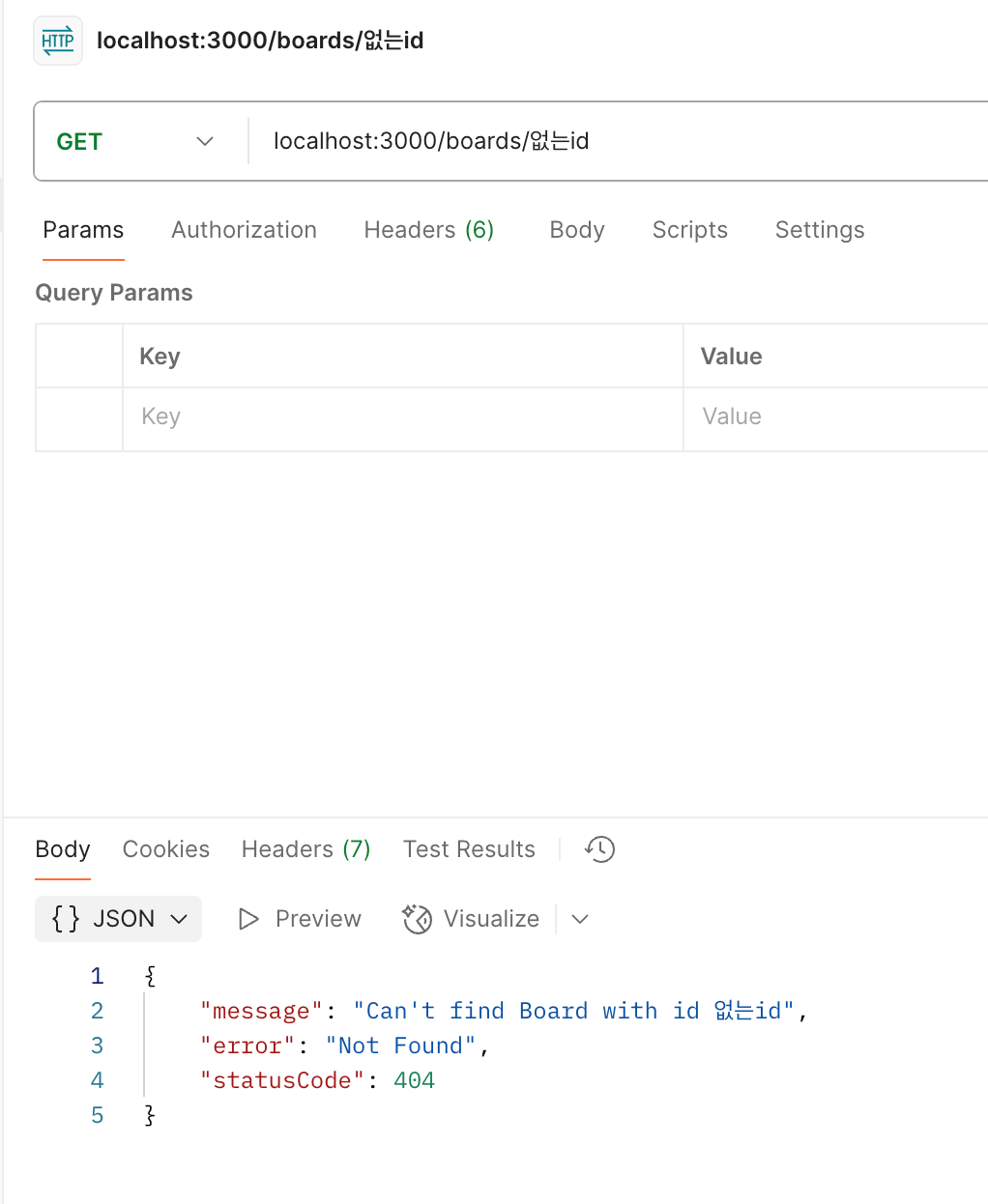
특정 게시물을 id로 가져올 때 없는 게시물 id면 결과값으로 아무값이 안 온다.
→ 에러 표시를 해주자! : 예외 인스턴스 사용하기
getBoardById(id: string): Board {
    const found = this.boards.find(board => board.id === id)
    if (!found) {
      throw new NotFoundException(`Can't find Board with id ${id}`)
    }
    return found
  }
없는 게시물을 지우려 할 때 결과 값 처리
deleteBoard(id: string): void {
    const found = this.getBoardById(id) // 여기서 예외처리해주니까 따로 해줄필요X
    this.boards = this.boards.filter(board => board.id !== found.id)
  }
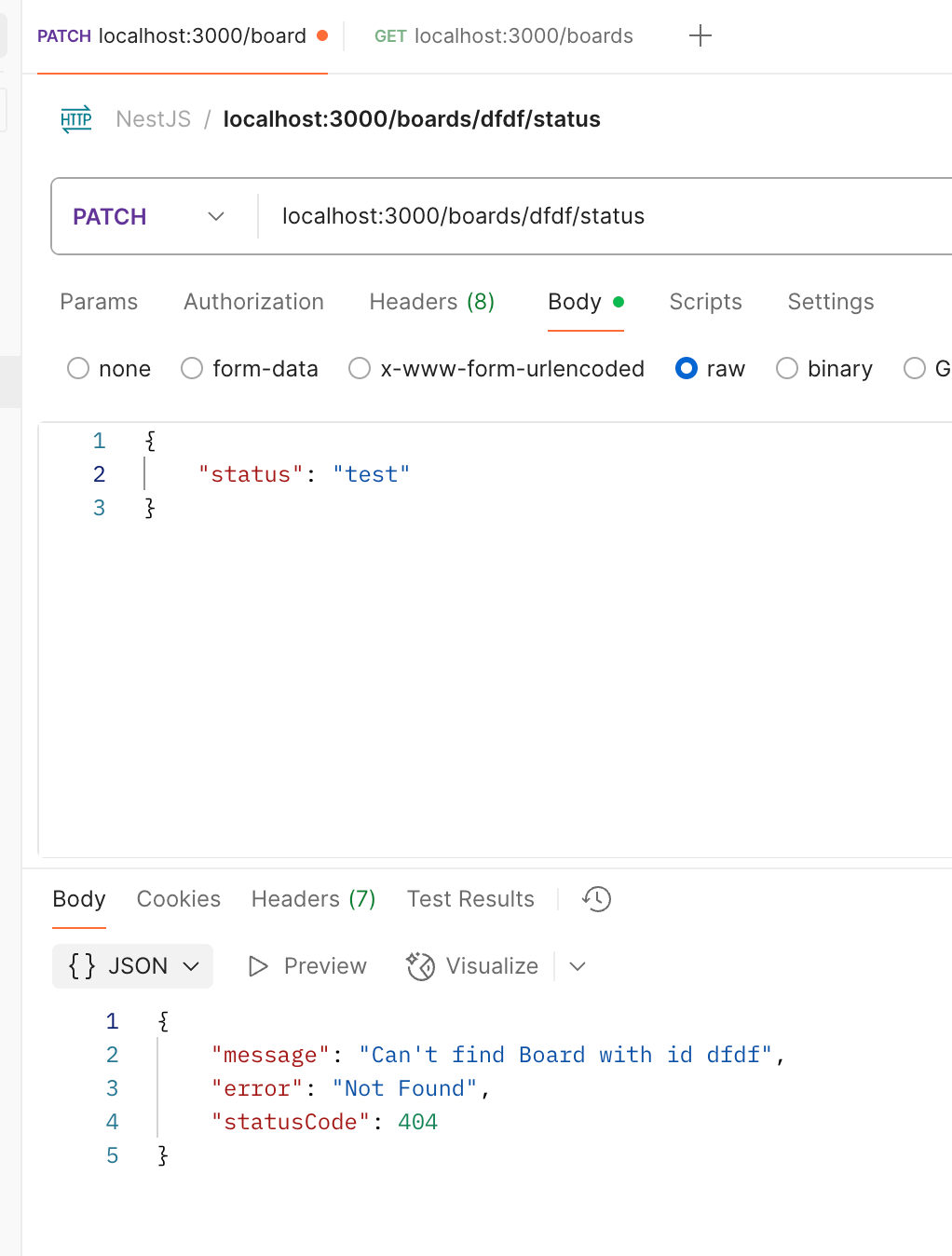
커스텀 파이프를 이용한 유효성 체크
- PipeTransform: 인터페이스 구현
transform()메서드 안에서 데이터 처리- 라우트 핸들러에 적용 (
@Body,@Param, 등)
이번 글에서는 NestJS를 활용해 게시판 CRUD 기능을 구현해보았다. 처음 접해봐서 넘 어려웠지만.. 기본적인 서비스, 컨트롤러, 레포지토리 구조를 직접 만들어보며 NestJS의 흐름을 익힐 수 있었다.
다음 포스팅에서는 인증 기능을 추가해, 로그인 및 회원가입 기능을 공부해보겠다!!! 🥳🥳
'✨BACKEND > 📍NestJS' 카테고리의 다른 글
| NestJS 회원가입/로그인 구현하기(feat. MySQL) (1) | 2025.08.30 |
|---|---|
| NestJS 인증 기능 구현하기 (8) | 2025.08.10 |
| NestJS 개념 (6) | 2025.07.20 |


