728x90
✨ react-toastify로 토스트 공통 컴포넌트 만들기
프로젝트를 하다 보면 이런 순간이 온다.
- 회원가입 성공
- 로그인 실패
- 서버 에러
- 저장 완료 안내
그때마다 alert를 쓰기엔 UX가 너무 구식이다.
그래서 선택한 라이브러리는
👉 React-Toastify
공식 문서
👉 https://fkhadra.github.io/react-toastify/icons
Icons | React-Toastify
Built-in icons
fkhadra.github.io
목표))
- react-toastify로 토스트 구현하기
- 성공 / 실패 / 에러 / 정보 타입 분기
- message를 props로 받는 공통 함수 만들기
- TypeScript 타입 안정성 유지하기
1️⃣ 기본 세팅
import { ToastContainer, toast } from 'react-toastify';
import 'react-toastify/dist/ReactToastify.css';
💣 TypeScript 에러 발생
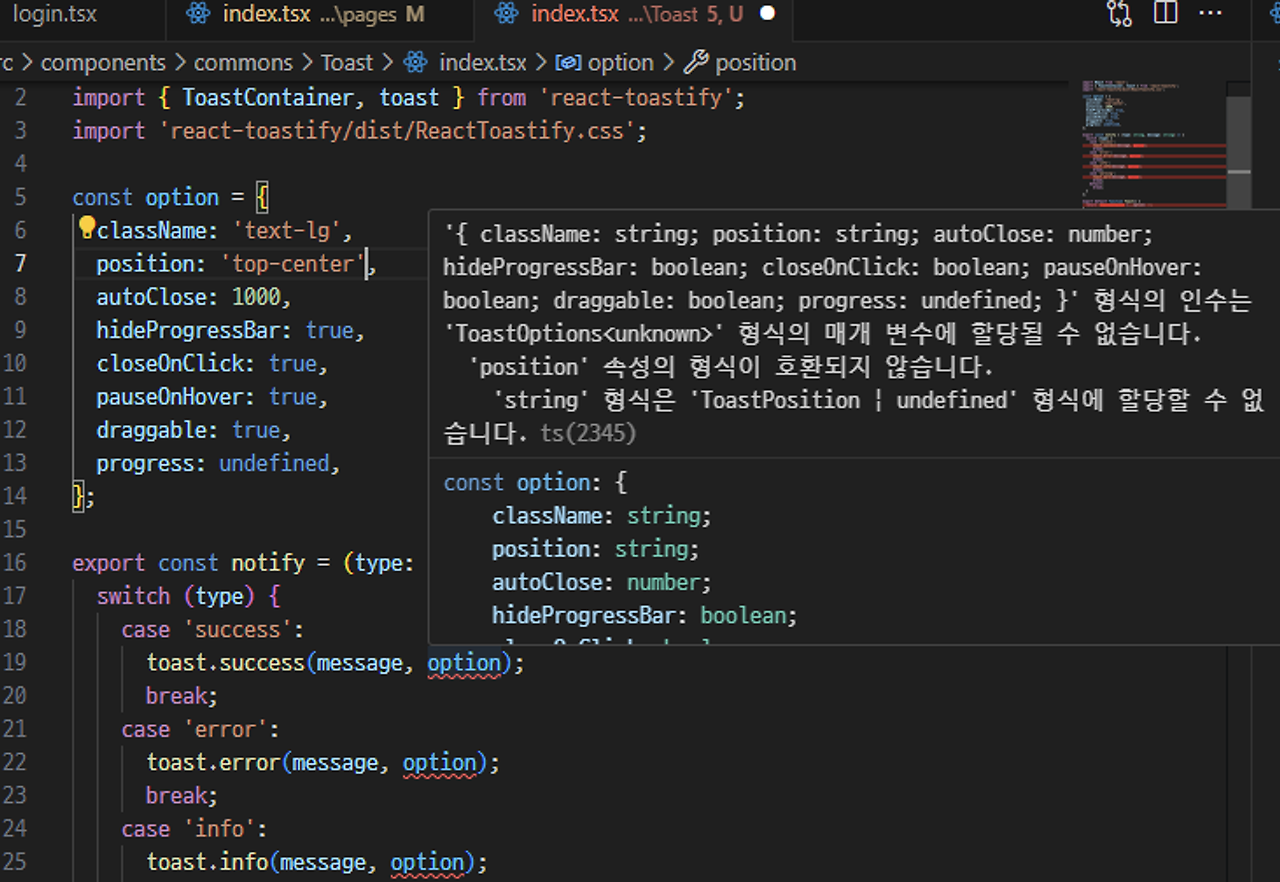
r
eact-toastify의 타입스크립트 사용 시, position 속성이 string 타입으로 정의되어 있어서 발생하는 오류다.
👉 string을 ToastPosition으로 단언(as) 해주면 해결된다.
import { ToastPosition } from 'react-toastify';

const option = {
  position: 'top-center' as ToastPosition,
  autoClose: 1000,
  hideProgressBar: true,
  closeOnClick: true,
  pauseOnHover: true,
  draggable: true,
};
2️⃣ 공통 notify 함수 만들기
타입 분기 함수로 만들었다.
toast.success(...)
toast.error(...)
toast.info(...)
✨ 최종 notify 함수
export const notify = (
  type: 'success' | 'error' | 'info' | 'warning',
  message: string
) => {
  switch (type) {
    case 'success':
      toast.success(message, option);
      break;
    case 'error':
      toast.error(message, option);
      break;
    case 'info':
      toast.info(message, option);
      break;
    case 'warning':
      toast.warn(message, option);
      break;
    default:
      break;
  }
};
이제 사용은 이렇게 하면 된다.
notify('success', '회원가입이 완료되었습니다.');
notify('error', '로그인에 실패했습니다.');
3️⃣ ToastContainer 공통 컴포넌트로 분리
토스트는 반드시 앱 루트에 있어야 한다.
export default function Toast() {
  return <ToastContainer {...option} />;
}
👉 Layout 또는 _app.tsx에 추가
<Toast />4️⃣ 사용 예시
const handleSuccessToast = () => {
  notify('success', 'success');
};

const handleErrorToast = () => {
  notify('error', 'error');
};

<button onClick={handleSuccessToast}>success 토스트</button>
<button onClick={handleErrorToast}>error 토스트</button>
구조 정리 ))
utils/
 └─ toast.ts  (notify 함수)

components/
 └─ Toast.tsx (ToastContainer)

layout/
 └─ RootLayout.tsx 에 Toast 추가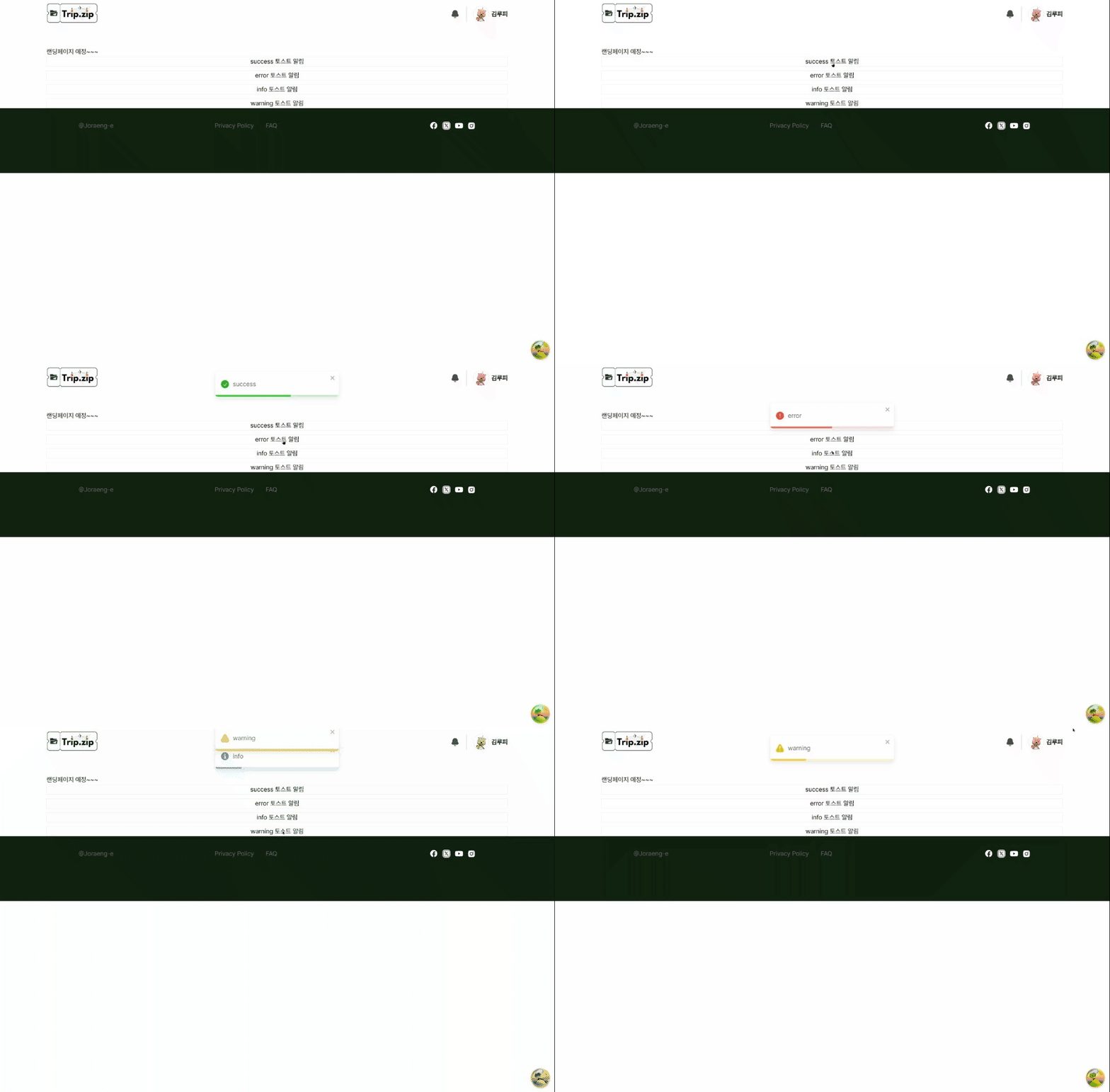
'✨FRONTEND > 📍React' 카테고리의 다른 글
| 페이지네이션 초간단 구현하기 (React) (2) | 2024.12.23 |
|---|---|
| path를 따라가는 로딩화면 구현하기 (0) | 2024.08.16 |
| react-hook-form + yup = 회원가입/로그인(feat.쿠키) (0) | 2024.08.02 |
| input 공통 컴포넌트로 만들기 (feat. react-hook-form + yup) (0) | 2024.08.01 |
| 라이브러리 없이 state로 폼 만들기 (0) | 2024.07.31 |


